
Episode 376 · Season 3
KH 376: Tinkercad - A free browser-based CAD tool.
About this episode
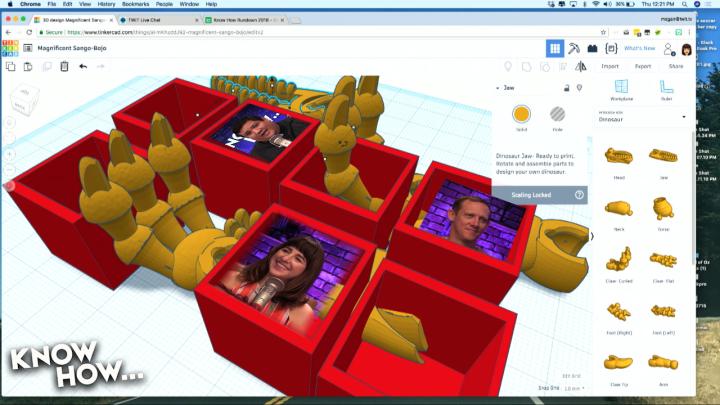
So you got yourself a brand-new 3D printer, but you're getting a little tired of printing out just the objects that you've downloaded. If that's you, then we've got an episode for you! Jason Howell and Megan Morrone join Padre for a special 3D episode of "Know How"! -- We're going to be teaching the basics of "Tinkercad", a free, browser-based CAD tool that can be used to create everything from the simplest box to a universe-in-a-bottle. (Stargate Reference) - Join us!
The Environment
* We call the grid the "Build plane"
* The scroll button on your mouse will zoom in and out on your focused object
* Typing an "F" will change the focus to whatever object you have selected
* Holding the right button and moving the mouse will rotate around your focused object
Instruction 1: Placing and Resizing Shapes
Tinkercad starts with placing shapes on a bed so the can be manipulated
* Let's practice placing shapes on the build-bed
- Pick 4 shapes from the basic shapes menu and place them on the bed
- Use the hash marks to keep each object 40mm away from other objects
** Tip: Once placed, you can use the arrow keys to move the shapes 1 unit at a time. (The unit size is determined by the drop-down menu in the lower right corner)
** Tip: Hold "Shift" while hitting an arrow key will move the shape 10 units
* And now let's resize
- Clicking each object, resize them so that they are twice their current size. (W x L x H)
- The bullets that appear when an object is clicked can be dragged to the size you want
** Tip: You can also click each bullet and then click the value to enter a new value on the keyboard.
Instruction 2: Elevation and Rotation
We need to practice some of the finer points of manipulating 3D objects... specifically their rotation and elevation on the bed.
* Elevation
- Click the object you want to raise or drop
- Click and hold the "black arrow" at the top of the shape (It will turn red when selected)
- Drag the object to the height that you require
- Notice that as you change the elevation of the object, the callout to the side will tell you how high the bottom of the object is above the build plane.
** Tip: Holding "CTRL" while hitting the up and down arrows will move the object up and down by one unit each time you hit an arrow key
** Tip: Holding "CTRL" + "SHIFT" while hitting the up and down arrows will move the object up and down by 10 units each time you hit an arrow key
* Rotation
- Click the object you want to rotate, you'll see three curved arrows for the three axes on which you can rotate the objects
- Click, hold and DRAG to rotate
** Tip: Staying WITHIN the rotation circle will snap rotation to 22.5 degrees. Going OUTSIDE the rotation circle lets you rotate by degree (or less)
** Tip: You can also click the curved arrow and enter a custom rotation value
Instruction 3: Smoothing the Curve
Any shape with a curve is actually just a bunch of straight lines APPROXIMATING a curve. The "smoothness" of that curve depends on how many lines make up the curve: The more lines, the smoother the curve.
* Add a cylinder to your build plate
- select the object
- In the drop-down menu, play with the first two settings (Sides, Bevel -- ignore Segments)
- Increasing or decreasing the number of sides will increase or decrease the
-
* Add a
-
These show notes have been truncated due to length. For the full show notes, visit https://twit.tv/shows/know-how/episodes/376
Hosts: Fr. Robert Ballecer, SJ, Megan Morrone, and Jason Howell
Sponsors:
More from Know How... (Audio)
If your partner keeps asking you what you want for the holidays and "I dunno" just isn't cutting it anymore, try something new... Play this for them and Mikah will explain to them that you'd really li…
Kids love to play online games, and parents should know what they can expect to find within those experiences, and the controls available to them to keep things age appropriate. Jason Howell and Sam M…
With a passion for old school video game consoles, and a lot of ingenuity, people are hacking their consoles to create automated systems that can play through classic games as well as enable features…
Retro gaming is big, with legacy consoles being re-released in miniature formats, and aftermarket third party consoles upgrading the capabilities of the originals. Jason Howell and Sam Machkovech from…
The holidays are right around the corner, and that gamer in your life will appreciate just how much you know about the best games to gift them this year! Jason Howell and Sam Machkovech from Ars Techn…