
Digitally sign your PDFs
About this episode
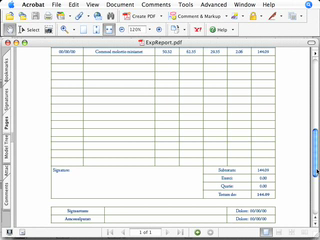
Now that you know how easy it is to make PDFs from your Creative Suite products, we'll learn how to set them up so that they can be digitally signed. In this episode you'll see how to set up a PDF to accept a digital signature. You all also see how to create your own digital signature for signing and a strategy to work with your clients so that you know who is signing those documents?
More from Adobe Creative Cloud TV
Adobe Evangelist Terry White shares tips and techniques for using Adobe Stock in your design workflow.
See what's new in the 7.3 update to Lightroom Classic CC.
See what's new in the Lightroom CC April 2018 update.
See what's new for Lightroom CC users on iOS in the April 2018 update.
Terry White covers the ins and outs of using Adobe Creative Libraries, an effective collaboration tool for small to enterprise businesses. You'll get useful tips for using CC Libraries in Photoshop, I…