
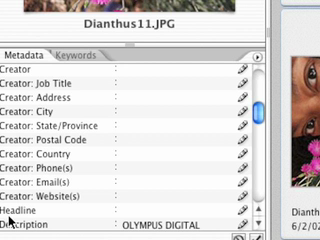
Create and use Metadata Templates in Bridge
About this episode
If you're shooting digital then chances are you're massing thousands of photos. How will you ever find what you're looking for? The key is entering metadata into the images themselves. However, who wants to do it image-by-image and even when you're doing groups at a time who wants to enter the same data over and over again such as copyright info? In this episode you'll learn how to create a metadata template using Photoshop and to apply that template to your images in the Bridge.
More from Adobe Creative Cloud TV
Adobe Evangelist Terry White shares tips and techniques for using Adobe Stock in your design workflow.
See what's new in the 7.3 update to Lightroom Classic CC.
See what's new in the Lightroom CC April 2018 update.
See what's new for Lightroom CC users on iOS in the April 2018 update.
Terry White covers the ins and outs of using Adobe Creative Libraries, an effective collaboration tool for small to enterprise businesses. You'll get useful tips for using CC Libraries in Photoshop, I…