
Bridge - Camera Workflow
About this episode
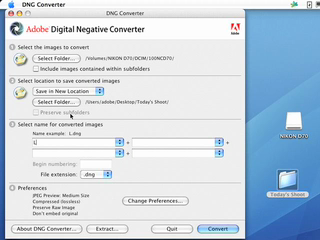
In this episode we will take a look at how to process digital camera images through the bridge (or over the bridge). We will see how the Bridge workflow works. Going from the camera's Camera RAW format to .DNG format and then into the Bridge where we add metadata, keywords and ratings. We can then use the search capabilities to narrow down the images to just the right shot.
More from Adobe Creative Cloud TV
Adobe Evangelist Terry White shares tips and techniques for using Adobe Stock in your design workflow.
See what's new in the 7.3 update to Lightroom Classic CC.
See what's new in the Lightroom CC April 2018 update.
See what's new for Lightroom CC users on iOS in the April 2018 update.
Terry White covers the ins and outs of using Adobe Creative Libraries, an effective collaboration tool for small to enterprise businesses. You'll get useful tips for using CC Libraries in Photoshop, I…