
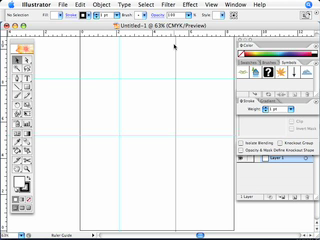
All About Guides in Illustrator CS2
About this episode
Adobe Illustrator is one of the best drawing tools on the planet. So naturally you're going to need to align objects from time to time. One of the ways that we use to keep objects lined up is to use a visual guide so that we can see at a glance if something is lined up or not. In this episode we'll also see how to turn any path into a guide as well as putting guides on layers. Then we'll kick it up a notch and learn how to use Smart Guides.
More from Adobe Creative Cloud TV
Adobe Evangelist Terry White shares tips and techniques for using Adobe Stock in your design workflow.
See what's new in the 7.3 update to Lightroom Classic CC.
See what's new in the Lightroom CC April 2018 update.
See what's new for Lightroom CC users on iOS in the April 2018 update.
Terry White covers the ins and outs of using Adobe Creative Libraries, an effective collaboration tool for small to enterprise businesses. You'll get useful tips for using CC Libraries in Photoshop, I…